


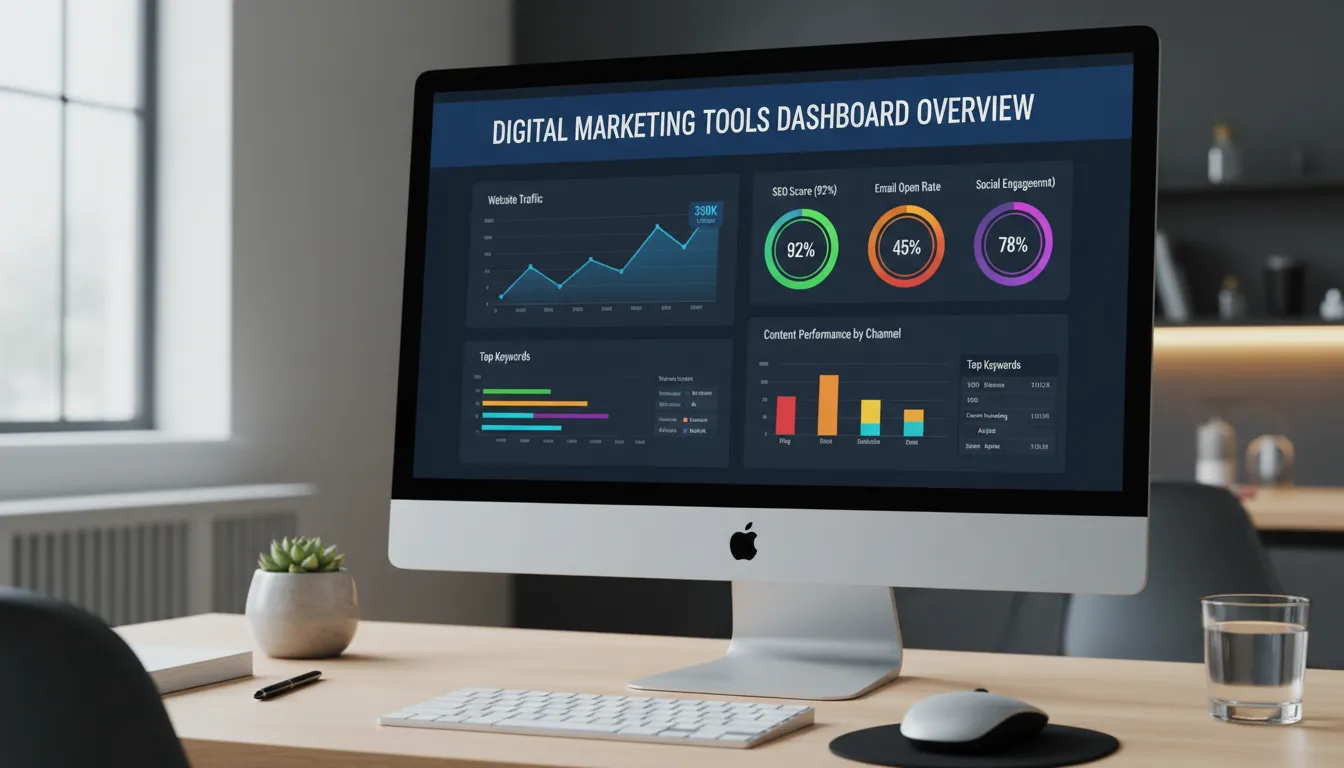
This comprehensive guide explores the best tools for digital marketing across SEO, social media, email automation, and analytics. You will discover actionable strategies, compare top software options, learn from expert insights, and avoid common pitfalls to maximize your campaign ROI.
Finding the right tools for digital marketing can transform your strategy from average to extraordinary. Whether you are starting or scaling up, the right software guarantees massive growth.
Why You Need the Right Tools for Digital Marketing Today
Every successful campaign relies on a robust technology stack. Utilizing tools for digital marketing allows you to automate repetitive tasks, gather precise data, and scale your outreach efforts without burning out your team. If you want to remain competitive, you cannot rely on manual spreadsheets and guesswork. You need software that provides real-time insights and predictive analytics.
Beginners often struggle with platform overload, while experts look for nuanced integrations and advanced features. By categorizing these applications based on their primary function, you can build a streamlined ecosystem tailored to your business goals. Our advanced SEO strategies hub provides additional context on how integrating these platforms can exponentially increase your organic traffic.
Top Search Engine Optimization (SEO) Solutions
Search engine optimization is the backbone of organic growth. The best tools for digital marketing in this category help you understand what your audience searches for and how your competitors rank.
Ahrefs: The Backlink and Keyword Powerhouse
Ahrefs stands out as one of the most comprehensive platforms available. It offers an incredible suite of features designed to help you dominate search engine results pages (SERPs).
Experts use Ahrefs to conduct deep competitor analysis, unearthing exact keywords driving traffic to rival websites. Beginners can leverage the Site Audit feature to identify broken links, missing meta descriptions, and slow-loading pages. To get the most out of Ahrefs, run a weekly audit and track your core keywords. This continuous monitoring ensures you never lose ground to algorithm updates.
SEMrush: The All-in-One Marketing Suite
SEMrush is synonymous with versatility. While it excels at SEO, it also offers modules for pay-per-click (PPC) advertising, content marketing, and social media tracking.
One highly actionable feature is the Keyword Magic Tool, which generates thousands of related long-tail keywords from a single seed phrase. You can filter these by search intent—informational, navigational, commercial, or transactional. This ensures your content aligns perfectly with what the user wants to achieve. Incorporating SEMrush into your daily routine allows you to track market trends and adapt your content marketing frameworks quickly.
Google Search Console: The Essential Free Tracker
No discussion about tools for digital marketing is complete without mentioning Google Search Console (GSC). It provides direct data from Google about how your website performs in search.
GSC alerts you to indexing errors, mobile usability issues, and manual penalties. It shows you the exact queries bringing users to your site. You should connect GSC to your Google Analytics account immediately to gain a holistic view of your user journey. You can read more about setting this up properly on the official Google Search Central documentation.
Best Social Media Management Platforms

Managing multiple social profiles manually wastes valuable time. You need centralized dashboards to schedule posts, monitor brand mentions, and analyze engagement metrics.
Hootsuite: The Enterprise Standard
Hootsuite allows you to monitor all your social streams from one unified dashboard. It supports Twitter, Facebook, LinkedIn, Instagram, and YouTube.
For agencies and large teams, Hootsuite offers robust approval workflows. A junior marketer can draft a post, and a senior manager can approve it before it goes live. This prevents off-brand messaging from reaching your audience. You can also utilize the bulk scheduling feature by uploading a CSV file containing hundreds of posts at once, saving countless hours of manual data entry.
Buffer: The Intuitive Scheduling Solution
Buffer is favored by beginners and small businesses for its clean, straightforward interface. It strips away the clutter and focuses entirely on making post-scheduling as simple as possible.
Buffer analyzes your past post performance and recommends the optimal times to publish new content. This removes the guesswork from your social media calendar. By using Buffer’s analytics, you can quickly identify which types of content—videos, images, or plain text—resonate most with your audience.
Sprout Social: Deep Listening and Analytics
Sprout Social goes beyond basic scheduling by offering powerful social listening capabilities. It allows you to track specific keywords, brand names, and industry trends across the social web.
This is incredibly valuable for reputation management. If a customer complains about your product on Twitter, Sprout Social flags it immediately, allowing your support team to intervene before the issue escalates. They provide excellent resources on social listening on the Sprout Social Insights blog.
Essential Email Marketing and Automation Software
Email remains one of the highest converting channels available. Using the right tools for digital marketing in this space helps you nurture leads and drive repeat purchases.
Mailchimp: The Beginner-Friendly Builder
Mailchimp dominates the entry-level market because of its drag-and-drop email builder and generous free tier. You can create beautiful, mobile-responsive emails without knowing a single line of code.
Beyond basic newsletters, Mailchimp offers pre-built automation journeys. You can easily set up an abandoned cart sequence that reminds shoppers to complete their purchase. This simple automation can recover a significant percentage of lost revenue.
ActiveCampaign: Advanced Behavioral Automation
When you outgrow Mailchimp, ActiveCampaign is the logical next step. It specializes in complex, behavior-based automations that treat every subscriber as an individual.
With ActiveCampaign, you can tag users based on the specific pages they visit on your website. If a user repeatedly visits your pricing page, the software can automatically send them a targeted discount code to push them over the conversion line. We highly recommend reviewing our email conversion rate optimization guide to master these advanced segmentation tactics.
High-Converting Content and Landing Page Builders
Driving traffic is only half the battle. You must convert that traffic into leads and customers.
Unbounce: The Conversion Specialist
Unbounce allows marketers to build and test custom landing pages without relying on web developers. It features a massive library of high-converting templates tailored to specific industries.
Its standout feature is Smart Traffic, an AI-powered tool that automatically routes visitors to the landing page variant where they are most likely to convert. This eliminates the waiting period traditionally associated with A/B testing and yields higher conversion rates almost immediately.
WordPress: The Ultimate Content Management System
WordPress powers a massive portion of the internet and remains the gold standard for blogging and content creation. Its flexibility comes from thousands of plugins that extend its functionality.
By installing plugins like Yoast SEO or WP Rocket, you can optimize your content for search engines and ensure lightning-fast page load speeds. WordPress gives you complete ownership of your content, unlike hosted platforms where you are subject to the provider’s rules.
Data Analytics and Reporting Solutions
You cannot improve what you cannot measure. Analytics platforms provide the quantitative feedback necessary to refine your campaigns.
Google Analytics 4 (GA4): The Data Foundation
GA4 tracks how users interact with your website and applications. It shifts the focus from page views to events, allowing you to track specific actions like video plays, button clicks, and form submissions.
Setting up conversion events in GA4 is crucial. Once configured, you can trace exactly which marketing channel generated the most valuable customers. This data dictates where you should allocate your future marketing budget.
Hotjar: Visualizing User Behavior
While GA4 tells you what is happening, Hotjar tells you why. It provides heatmaps and session recordings that show exactly how users navigate your site.
You might discover that users are furiously clicking on an image that is not a link, indicating a UX design flaw. Fixing these small friction points dramatically improves your overall conversion rates.
Comparison Table: Top Tools for Digital Marketing
|
Tool Name |
Primary Function |
Best For |
Key Feature |
Pricing Model |
|---|---|---|---|---|
|
Ahrefs |
SEO & Backlinks |
Experts |
Competitor keyword tracking |
Tiered Subscription |
|
Buffer |
Social Media |
Beginners |
Visual scheduling calendar |
Freemium available |
|
ActiveCampaign |
Email Automation |
Experts |
Behavioral user tagging |
Tiered Subscription |
|
Unbounce |
Landing Pages |
All Levels |
AI-driven Smart Traffic |
Tiered Subscription |
|
Hotjar |
UX Analytics |
All Levels |
Interactive visual heatmaps |
Freemium available |
Step-by-Step Guide to Building Your Technology Stack
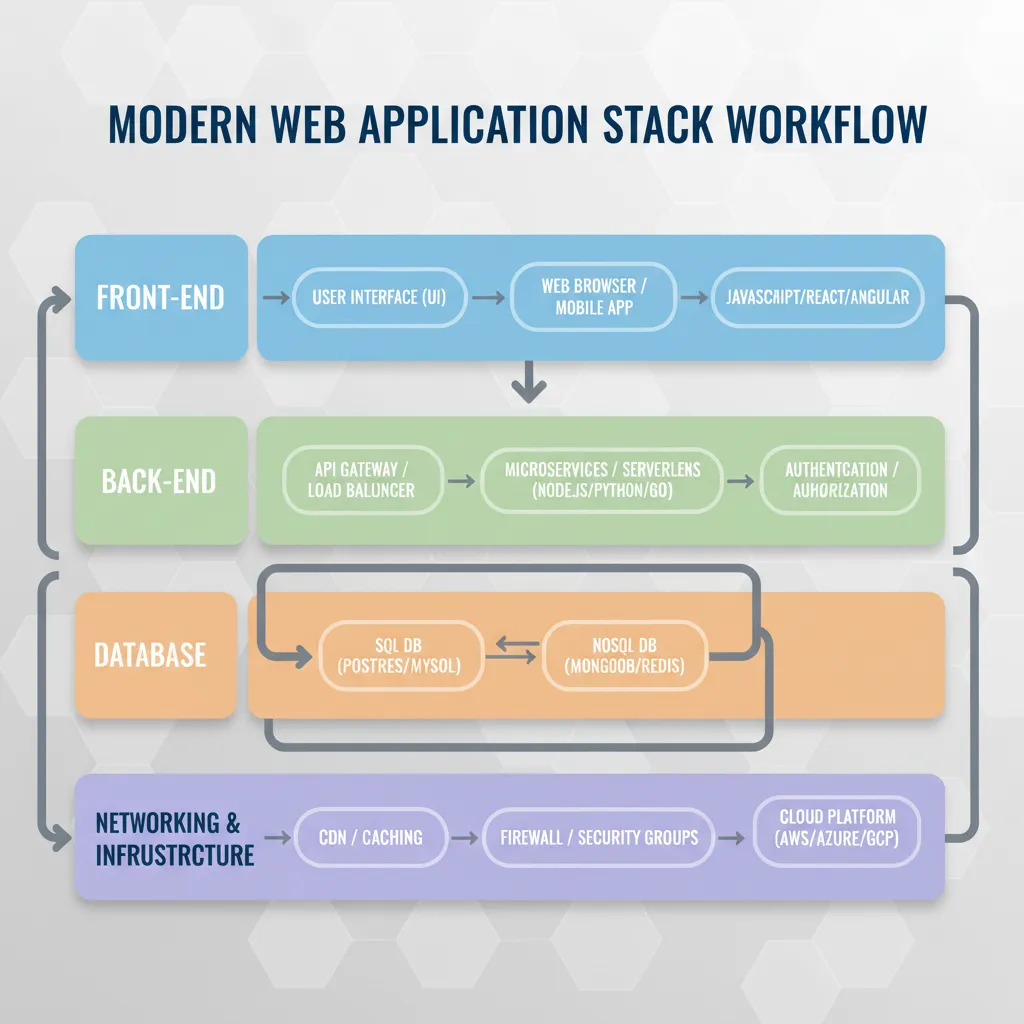
Building an effective software ecosystem requires strategic planning. Follow these steps to assemble your ideal suite of tools for digital marketing without overspending.
Step 1: Identify Your Core Acquisition Channels
Do not try to master every channel at once. Determine if your business will grow fastest through organic search, paid ads, or social media. Select one primary tool dedicated to your strongest channel.
Step 2: Establish Your Data Foundation
Before launching campaigns, install GA4 and Google Search Console. You need baseline metrics to understand whether your new software investments are actually moving the needle.
Step 3: Implement a Centralized CRM
Your Customer Relationship Management (CRM) software acts as your single source of truth. Ensure that your chosen email, social, and lead generation applications integrate seamlessly with your CRM.
Step 4: Automate Repetitive Tasks
Use cross-app connectors like Zapier or Make to bridge the gap between platforms that lack native integrations. For example, you can set up a workflow that automatically adds new Facebook Lead Ad submissions directly into your email marketing platform.
Step 5: Review and Prune Regularly
Audit your software stack every six months. If your team is not actively using an application, cancel the subscription. Tool bloat slows down operations and wastes your marketing budget.
Common Mistakes to Avoid
Even the best software cannot fix a flawed strategy. Be aware of these common pitfalls when selecting and deploying your technology stack.
Mistake 1: Buying Software Without a Strategy
Many beginners purchase expensive software expecting it to magically generate leads. Tools for digital marketing only amplify your existing strategies. You must define your goals, target audience, and messaging before signing up for enterprise-level applications.
Mistake 2: Ignoring Platform Integrations
Choosing isolated software that does not communicate with your other platforms creates data silos. Always verify that a new tool integrates natively with your existing CRM and analytics software.
Mistake 3: Failing to Train Your Team
Software is useless if your team does not know how to use it. Invest time in onboarding and training. Encourage your staff to complete certifications offered by companies like HubSpot Academy to maximize utilization.
Expert Insights and Pro Tips

To truly dominate your industry, you must go beyond basic functionality. Here are insights from industry veterans on maximizing your technology stack.
Tip 1: Clean Your Data Regularly
Automated systems run on data. If your email lists are full of inactive addresses or your CRM is cluttered with duplicate entries, your automation rules will misfire. Schedule a quarterly database cleaning to ensure your personalization tokens insert the correct information.
Tip 2: Leverage Predictive AI
Artificial intelligence is rapidly changing the marketing landscape. Look for platforms offering predictive analytics. These features can forecast which leads are most likely to convert next month, allowing your sales team to prioritize their outreach efforts.
Tip 3: Consolidate Where Possible
While specialized software is great, managing twenty different logins creates administrative chaos. Whenever possible, choose robust platforms that handle multiple functions competently rather than juggling dozens of single-purpose applications.
Mini-Conclusion: Empowering Your Growth
Choosing the right software stack is an ongoing process of refinement. As your business scales, your requirements will change. Stay agile, continually test new features, and let the data guide your technology investments.
Conclusion
Mastering the landscape of tools for digital marketing is essential for driving predictable, scalable growth. By carefully selecting platforms for SEO, social media, email, and analytics, you empower your team to work smarter and deliver exceptional results. Stop relying on outdated manual processes. Audit your current software stack today, eliminate the dead weight, and invest in the technologies that will propel your business forward.
FAQs
What are the tools for digital marketing?
They are software applications and platforms designed to help businesses execute, manage, and measure their online promotional campaigns. They cover various disciplines, including SEO, email automation, social media scheduling, and data analytics.
Which SEO software is best for a complete beginner?
Google Search Console is the best starting point because it is free and provides direct data from Google. For keyword research, platforms like Ubersuggest or the basic tier of SEMrush offer highly intuitive interfaces for new users.
How much should a small business spend on marketing software?
Budgets vary, but a lean operation can start with $100 to $300 per month. This typically covers a basic CRM, an entry-level email automation platform, and a social media scheduler. You can upgrade tiers as your revenue increases.
Is it necessary to pay for social media scheduling software?
While you can post manually for free, scheduling software saves massive amounts of time and provides cross-platform analytics. The time saved usually justifies the small monthly cost, even for solo entrepreneurs.
What is the difference between Google Analytics 4 and Google Search Console?
Google Analytics 4 tracks user behavior and traffic sources once visitors arrive on your website. Google Search Console specifically monitors how your site appears and performs in Google’s organic search engine results.
Can I use multiple email marketing platforms simultaneously?
Technically, yes, but it is highly discouraged. Using multiple platforms splits your subscriber data, complicates unsubscribe compliance, and makes it impossible to track the complete customer journey accurately.
What does a CRM do in a marketing stack?
A Customer Relationship Management (CRM) system acts as the central database for all your contacts. It tracks every interaction a prospect has with your brand, aligning your sales and marketing efforts.
How do I know if a tool is delivering a good return on investment (ROI)?
Calculate the time saved by the software’s automation and multiply it by your hourly rate. Add any direct revenue generated through the platform’s specific features. If that number exceeds the subscription cost, the ROI is positive.
Why is A/B testing important for landing pages?
A/B testing removes subjective opinions from web design. By testing two variations of a page simultaneously, the data reveals exactly which headline, image, or button color drives the most actual conversions.
Are all-in-one marketing suites better than specialized software?
All-in-one suites offer convenience and unified data, making them great for generalists. Specialized software offers deeper, more advanced features. The best choice depends on whether your strategy requires broad coverage or deep technical capability in one specific area.


Leave a Reply